
Newsday
NewsdayNews & Magazines
3.1764.00 Reviews
- Version
- 6.2.0.04 - Live
- Installs
- 100.00K
- Age Rating
- Everyone
Screenshots
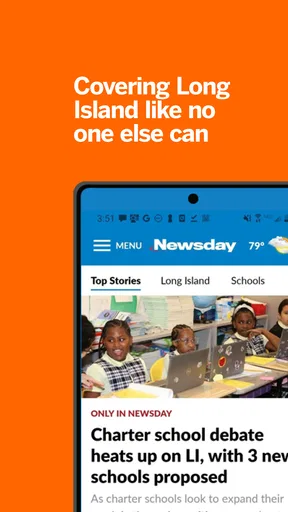

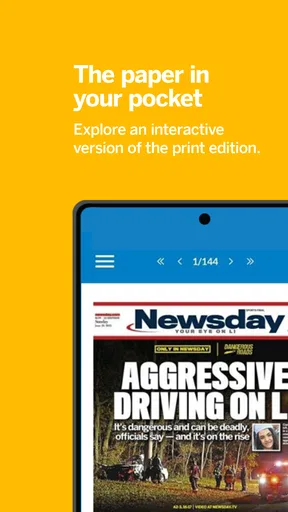
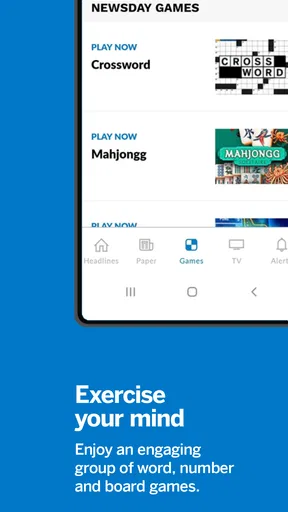
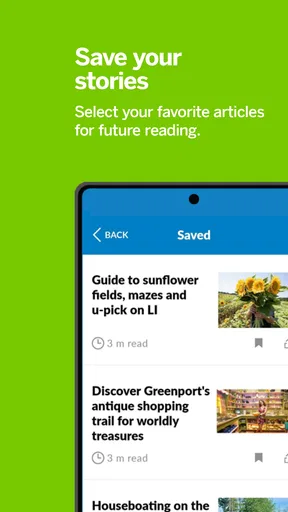
Our Review of Newsday
 Analysis by Appyee
When a local story affects the route I take, a school decision, or a weekend plan, I want reporting that stays close to home rather than another stream of national headlines. That is the useful question I bring to Newsday: does it make following Long Island news easier, and does its focus fit the way I actually read? My view is that it is most appealing when local coverage is the priority, not when someone wants a single app to represent every part of the news.
Where readers can get stuck
A regional news app can be straightforward in purpose and still leave a new reader wondering what to open first. I would begin with a specific need—checking a local development, catching up on a community issue, or looking for a story mentioned by a neighbor—rather than trying to explore every section in one sitting. That makes it easier to judge whether the coverage is relevant to your town and routine.
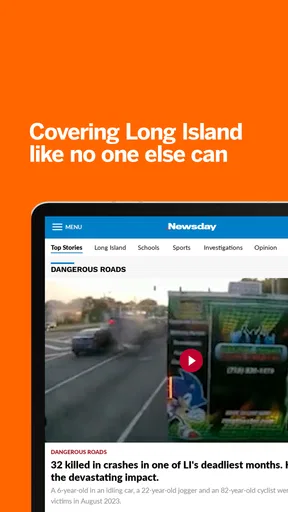
Newsday is a free news and magazines app from Newsday, focused on reporting for Long Island around the clock. It has been available since November 17, 2011, and its current version is 6.2.0.03 - Live. I find that long-running local focus more meaningful than a promise to cover everything: if your daily questions are tied to Long Island, a dedicated source can be more useful than a broad national feed. If you live elsewhere and rarely follow the area, the same focus may feel narrow rather than helpful.
The app is rated for Everyone and has passed 100K+ installs. Its average rating is 3.3 from around 1.3K ratings, with 757 reviews. Those figures are a reason to approach it with sensible expectations, not a verdict on whether it will suit your particular reading habits. Local relevance is personal: a reader who wants nearby reporting may value the app even if another reader prefers a wider selection of national and international coverage.
Setup checks that make the first visit easier
I would make a few simple checks before deciding that the app is confusing or not working as expected. First, confirm that the device meets the minimum OS requirement of version 9. Then open the app with a working internet connection and give its first load a moment, especially if you are moving between a weak connection and a stronger one. These are practical starting points, not a promise that every delay has the same cause.
It also helps to decide what you want from the app before you begin: quick local updates, a closer look at one developing story, or a regular reading habit. Keeping that goal in mind prevents a common frustration with news apps—opening one for a particular answer and leaving after being distracted by unrelated stories. If you are mainly interested in Long Island, judge the experience by how readily it helps you follow that local context.
The app is free to download, but in-app purchases range from $0.99 to $149.99 per item. I would treat that as a cue to check what an offer covers before confirming a purchase, especially if you only want occasional access. A free download does not mean every possible piece of content or service will necessarily be included at no cost. If you are comparing it with free news sources, consider how often you will use its local reporting and whether any purchase prompt fits your needs before spending.
A practical routine for local coverage
For an everyday example, imagine hearing about a road closure or a local decision while making plans for the evening. I would open Newsday to look for the relevant reporting, read enough to understand what changed, and then return later if the story is still developing. That focused routine is more useful than repeatedly refreshing several general-purpose feeds that may not give the local issue much attention.
A useful habit is to keep a short mental list of the questions a local story raises: what happened, which community is affected, and what might change next? That gives each visit a purpose and makes it easier to notice whether the coverage is answering the questions you care about. For a complicated issue, I would read the full article rather than rely on a brief alert or headline alone; a quick notification can tell you something is happening without providing all the context needed to understand it.
When I am comparing local coverage, I would use a regional source for place-specific detail and a broader news app or publication for national context. Those roles do not have to compete. Newsday’s Long Island emphasis is its clearest reason to keep it in a reading mix, while a national outlet may be the better first stop for a story with consequences across the country or world. If you need both perspectives, using each for what it does best is more practical than expecting a local app to replace every other source.
Recovering when a story does not load
If a page stalls, I would first check whether the connection is working in another app, then try again on a steadier network. If the problem affects only one article, returning to the main screen and opening it again is a reasonable next step. If other content also refuses to load, closing and reopening the app or checking for an available update may help isolate whether the trouble is temporary. These basic steps can narrow down the issue without assuming that the article or account is at fault.
For repeated problems, note what you were doing when they occurred: whether the issue happens on every launch, only with a particular story, or only on one connection. That small distinction is useful if you decide to seek help, and it can save time compared with repeatedly changing settings at random. I would avoid treating a single slow load as proof that the app is generally unreliable, but persistent problems are a fair reason to reassess whether it fits your routine.
When you are in a hurry, it is worth separating the need for an immediate alert from the need to understand a full report. A headline can point you toward a development, but if the details matter to a commute, appointment, or family decision, check the article itself and confirm that it has finished loading. That is a cautious reading habit rather than a special feature claim, and it helps prevent a partial view from becoming the basis for a plan.
When the app may not be the cause
News reading depends on more than the app alone. A weak signal, a crowded connection, or an older device can make pages feel slow, particularly when an article includes rich media. If the same delay appears in other apps, I would look at the connection or device before blaming Newsday. If the issue is limited to this app and continues after basic checks, then it is more reasonable to treat the app experience itself as the problem.
There is also a difference between not finding a story and the app malfunctioning. Local reporting has a defined geographic focus, and a reader looking for extensive coverage of a distant event may simply be using the wrong source for that question. I would check a publication with broader coverage in that situation, then return to Newsday when the story is specifically about Long Island. Choosing the right source can be more effective than trying to make one app serve every news need.
What the reader feedback suggests
The average rating of 3.3 indicates a mixed overall response, so I would approach the app as a potentially useful local resource rather than assume that every part of the experience will suit everyone. The 757 reviews give readers additional perspectives to consider, but neither reviews nor ratings can tell you how relevant the coverage will be to your own community. I would pay closer attention to feedback that describes the same kind of use you have in mind, while remembering that app behavior can change over time.
That middle-ground view fits the decision better than treating ratings as a shortcut. Someone who wants dependable awareness of Long Island issues may find the focus valuable enough to make the app part of a broader reading routine. Someone who expects a polished, all-purpose news destination, or who wants extensive coverage from many regions in one place, may prefer a broader alternative. The right choice depends less on a single score than on whether the app covers the places and subjects you follow.
Getting Started with Newsday
Diving into Newsday for the first time, I was pleasantly surprised by how straightforward it was to set up. The app welcomes you with a crisp and clean interface, making sure you’re not overloaded with information right from the get-go. You can customize your news feed by selecting topics that genuinely interest you—whether it's politics, sports, tech, or entertainment. This customization is a game-changer, allowing you to tailor the content to your liking.
A Seamless User Experience
The user experience in Newsday feels intuitive. Navigating through the app is like flipping through a well-organized magazine. The tabs are logically placed, and the search function is robust, helping you find articles on specific topics with ease. Plus, the app’s design is easy on the eyes, using a pleasant color scheme that doesn’t distract from the news itself.
News at Your Fingertips
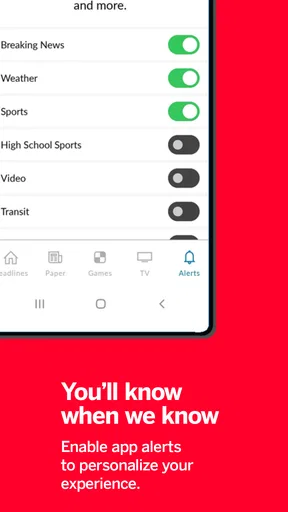
One of my favorite features is the notifications. I know, I know, push notifications can be annoying, but hear me out. Newsday allows you to customize your alerts, meaning you only get notified about the news you care about. This feature ensures you stay updated without feeling overwhelmed.
Another cool feature is the offline mode. Let’s be real, internet connections aren’t always reliable. With Newsday, you can download articles for offline reading, perfect for those long commutes or flights where connectivity is a luxury.
Content Quality and Variety
The app sources its content from reputable publications, giving you access to a wide variety of well-researched articles. Whether you’re into deep dives or quick reads, Newsday covers all bases, ensuring every reader finds something appealing. The articles are well-written and updated frequently, keeping you informed about the latest happenings around the globe.
Room for Improvement
No app is perfect, and Newsday is no exception. While the app is packed with features, it can occasionally feel a bit slow, especially when loading multimedia-rich content. Also, while the customization options are great, some users might find the initial setup a bit overwhelming if they’re used to apps that require less input.
Another thing to note is the subscription model. While you get plenty of free content, some premium articles are behind a paywall. It’s not a deal-breaker, but something to consider if you prefer free access to all content.
Final Thoughts
Overall, Newsday is a solid choice for anyone looking to streamline their news consumption. Its user-friendly interface, robust customization options, and high-quality content make it a standout in a sea of similar apps. If you’re tired of sifting through news apps that don’t quite hit the mark, give Newsday a try. It might just become your go-to source for staying informed.
Ready to check it out? Head over to your app store and see what all the fuss is about. Happy reading!
Verdict
Strengths of Newsday
- User-friendly interface for easy navigation.
- Customizable news feed based on interests.
- Real-time updates keep you informed.
- Offline reading mode available.
- High-quality journalism and sources.
Limitations of Newsday
- Limited free content without subscription.
- Ad interruptions can be frequent.
- Occasional loading delays on older devices.
- Requires a stable internet connection.
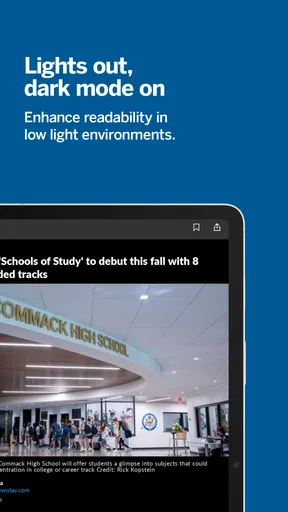
- No dark mode option available.
Similar Picks in This Category
View All
Google News - Daily Headlines
Google LLC4.0

X
X Corp.4.8

Flipboard:Your Social Magazine
Flipboard3.4

Opera News: breaking & local
Opera4.5

Hindi News by Dainik Bhaskar
Dainik Bhaskar Group4.0

Way2News Daily News App
Way2News ( Formerly Way2SMS )4.6
Frequently Asked Questions
What is Newsday and what does it offer?
Newsday is a comprehensive news application designed to keep users informed with the latest news and updates from around the world. It offers a wide range of categories, including politics, business, technology, entertainment, and more. The app provides real-time notifications, personalized news feeds, and in-depth articles to ensure users never miss important news.
Is Newsday available for both Android and iOS devices?
Yes, Newsday is available for both Android and iOS platforms. Users can easily download the app from the Google Play Store for Android devices and the Apple App Store for iOS devices. The app is designed to offer a seamless experience across different devices, ensuring accessibility for all users.
Does Newsday require a subscription or is it free to use?
Newsday offers both free and premium subscription options. While the free version provides access to a wide range of news articles and updates, the premium subscription offers additional features such as ad-free browsing, exclusive content, and personalized news recommendations. Users can choose the plan that best fits their needs.
How does Newsday personalize the news feed for users?
Newsday personalizes the news feed by analyzing user preferences and reading habits. Upon initial setup, users can select their preferred news categories and topics. The app then uses algorithms to curate a customized feed, ensuring that users receive the most relevant and interesting content tailored to their interests.
Can I access Newsday content offline?
Yes, Newsday allows users to save articles for offline reading. This feature is particularly useful for those who want to catch up on news while traveling or in areas with limited internet connectivity. Users can simply download articles when they have internet access and read them later at their convenience.
